
Wonder: Food Delivery
Wonder Group, IncFood & Drink
4.31.08K Reviews
- Version
- 6.23.0
- Installs
- 500.00K
- Age Rating
- Everyone
Screenshots

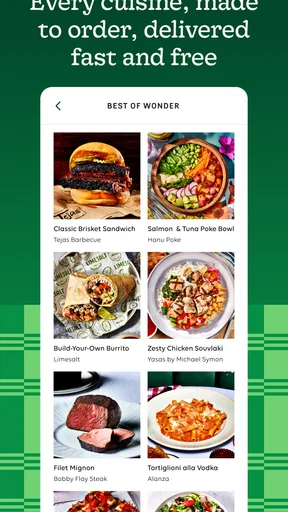
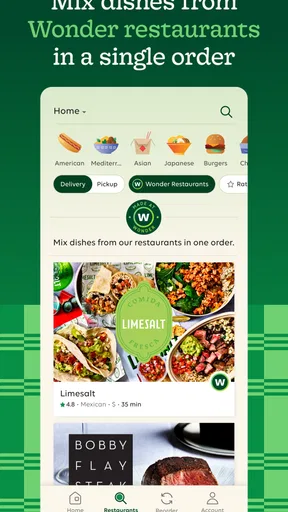
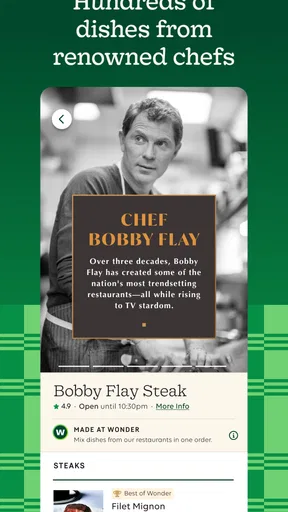
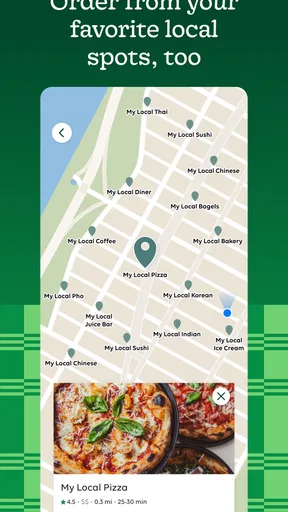
Our Review of Wonder: Food Delivery
 Analysis by Appyee
I tried Wonder: Food Delivery as a way to order restaurant meals without turning dinner into a long search through multiple services. It is a free Food & Drink app from Wonder Group, Inc, built around the simple promise of bringing top restaurants to your door. That sounds straightforward, but the useful question is whether it makes ordering easier in real life, especially when you already know what you want, are feeding several people, or need to decide quickly after a busy day.
My overall impression is positive, with an important qualification: this is most useful when Wonder serves your location and the restaurants available through it match your habits. The app feels designed for convenience rather than for becoming a food-discovery hobby. I found it easiest to appreciate when I treated it as a repeatable ordering tool: check what is available, compare the practical choices, customize only what matters, and place the order without endlessly browsing.
How I use Wonder from opening the app to placing an order
I start with the delivery address, because it determines whether the rest of the browsing is useful. Then I narrow the choice by the meal and the people I’m feeding, rather than scrolling without a plan; once I have a likely fit, I review the basket before moving on. That simple sequence helps me spot the practical snags early, including when the app’s available choices may not suit the order.
The basic workflow is quick, but your location matters first
The first thing I would do with any delivery app is confirm the delivery address before getting attached to a particular meal. Wonder is no exception. Restaurant availability, delivery reach, and the menu choices shown to you are tied to where you are ordering, so the experience can feel very different from one household to another. If you are testing it for the first time, enter the address you actually use most often rather than judging the service from a temporary location.
From there, I approach the app with a specific decision in mind. If I want dinner for one, I look for a meal that can stand alone. If I am ordering for a group, I pay more attention to variety, portion practicality, and whether everyone can find something suitable. That small change in mindset makes the interface less distracting. Instead of scrolling through every possibility, I use the available restaurant options to answer a narrower question: what can solve tonight’s meal without extra work?
The normal path is familiar to anyone who has used a delivery service: choose a restaurant or food option, review the menu, adjust the order where the menu allows it, check the basket, and continue through checkout. Wonder’s strength is not that it reinvents each step. It is that the app gives the whole decision a focused home, so I do not have to jump between restaurant websites, phone calls, and separate ordering systems.
I recommend reading the basket carefully before confirming. This is especially important when ordering for more than one person, because a meal that looks obvious while browsing can become less obvious once sides, drinks, quantities, or customizations are collected together. I use the basket as a final planning screen rather than treating it as a formality. It is the best moment to catch a duplicated item, an unwanted add-on, or a choice that no longer fits the group.
A realistic evening use case
Imagine getting home late with two other people and no agreement about dinner. One person wants something filling, another wants a lighter option, and someone else does not want to spend time cooking. In that situation, I would open Wonder, establish the delivery location, and compare the available menus by how well they cover the group rather than choosing purely by a single craving. I would build the order around the least flexible person first, then add choices that make the meal work for everyone.
The practical advantage is reduced coordination. Nobody has to send separate restaurant links, explain which ordering page to use, or call to repeat the same details. The trade-off is that the group is limited to what Wonder presents for that location and moment. If the exact restaurant everyone wants is not available, a general delivery marketplace or direct restaurant ordering may offer a wider fallback.
What I check before I trust an order
I look at the complete order, the delivery details, and the final amount shown in the checkout flow before committing. I also check whether the selected meal actually matches the occasion. A solo order can tolerate a little experimentation; a family order usually benefits from predictable choices and clear quantities. This is a small habit, but it prevents the common mistake of choosing an appealing menu item without thinking through the whole meal.
I also avoid placing a complicated first order when I am in a hurry. The first visit is the right time to learn how the menus are organized and where customization appears. Once I understand the restaurant choices that suit me, later orders become much faster. That is where Wonder becomes more valuable than a one-time browsing tool: it can fit into a routine if I remember which options reliably work for my household.
Settings and account details worth checking
I would review the address and account information before relying on Wonder for a time-sensitive meal. A saved or incorrectly entered address can create more trouble than any menu decision, particularly if you order from work, a hotel, or a friend’s home. I prefer to pause at the start of each order and verify the destination instead of assuming the previous context is still correct.
Notifications are another area worth treating deliberately. Delivery apps can be useful when they keep you informed, but too many alerts become background noise. I would keep the notifications that help me notice meaningful order progress and disable anything that feels unnecessary through the device’s normal notification controls. The exact balance depends on how often you order, but the principle is simple: alerts should reduce uncertainty, not add another stream of interruptions.
I also check the app’s current account and checkout screens after updates. Wonder is listed at version 6.17.2, and updates can change the placement of controls even when the basic ordering idea remains familiar. If a setting or account option seems to have moved, I would look through the app rather than relying on an old mental map. That is a useful habit with any frequently updated delivery service.
Privacy-conscious users should make their own comfort decision about using a delivery account and entering delivery details. I do not create an account casually on every food app, but I accept that an ordering service needs enough information to process a delivery. My advice is to use accurate details, avoid leaving sensitive information in optional notes, and review what you have entered before checkout.
Small habits that make repeat orders faster
The fastest pattern I found is to separate discovery from execution. When I am curious, I browse menus at a relaxed time and identify a few dependable choices. When I am hungry and busy, I do not repeat that exploration. I go straight to the restaurant or meal type I already trust, make only the necessary changes, and review the basket once.
Another useful habit is to keep a short personal mental list rather than trying to remember every menu. I note which meals work for solo dinners, which ones are easy to share, and which restaurants offer enough variety for a mixed group. This is not a special Wonder feature; it is a workflow that makes the app feel quicker because I am no longer asking it to solve the same decision from scratch.
For a household with different preferences, I build the order in a deliberate sequence. I start with the main items, then handle sides and extras, and only afterward check drinks or optional additions. This reduces the chance of overlooking a person’s main meal while focusing on smaller choices. It also makes the final basket easier to audit.
When I am ordering for a group, I use the basket as a shared confirmation point. I read each item aloud or show the completed list before checkout. That sounds basic, but delivery mistakes often begin with assumptions rather than with the app itself. A two-minute confirmation is cheaper than discovering after delivery that one person’s meal was missing a key choice.
Using Wonder for different kinds of diners
For a solo diner, Wonder works best when convenience matters more than extensive comparison. You can make a quick decision and avoid cooking or calling around. I would still compare the final basket with the value of a simple local pickup, especially if I am already near the restaurant and do not need delivery.
For couples or families, the app is more useful when the available menus cover different preferences in one ordering session. The main benefit is coordination. Instead of making separate plans, I can create one basket that reflects the table. The limitation is that a single service cannot guarantee the ideal choice for every person in every area.
For someone who orders the same meals repeatedly, Wonder can become a practical routine. The key is to remember the successful combinations and avoid unnecessary experimentation when time is tight. I would use browsing for weekends or relaxed evenings, then rely on known choices during workdays.
I think the app is less suitable for people who want to compare every local restaurant, search through a huge range of cuisines, or optimize every part of the order around the lowest possible cost. A broad marketplace may be better for that style of shopping. Wonder feels more appealing when the priority is a focused route from restaurant selection to delivered meal.
Where the experience can slow down
The biggest limitation is not a confusing button or an overly complicated checkout. It is the dependence on local availability. If the restaurants or menu choices shown in your area do not match your preferences, the app cannot solve that through better browsing. You may still need another delivery service, direct ordering, or pickup.
There is also a natural tension between convenience and control. A focused app can make decisions easier, but it may not satisfy a user who wants to inspect every nearby possibility. I sometimes prefer a broader alternative when I am planning a specific cuisine, comparing several restaurants, or looking for a very particular dietary choice. Wonder is strongest when I want a manageable set of options, not an endless directory.
Delivery ordering also requires realistic expectations. The app can simplify the digital part of the process, but it cannot make a busy restaurant, difficult traffic, or a complicated group order effortless. I avoid waiting until the last possible moment when dinner is important. A simple order placed with a little breathing room is a better test of the service than an urgent, highly customized request.
What the app feels like compared with usual alternatives
Compared with ordering directly from a restaurant, Wonder offers a more centralized experience. I do not have to find each restaurant’s own ordering process, and the app gives me a consistent place to manage the order. Direct ordering can still be preferable when I already know the restaurant, want its full menu, or prefer dealing with that business’s own system.
Compared with a large delivery marketplace, Wonder feels more focused. A bigger marketplace may win on breadth and comparison, while Wonder can feel less tiring when I want to choose from a practical selection. The better option depends on whether I value discovery or speed. I would open the broader service when I am searching; I would choose Wonder when I already have a clear direction.
Compared with pickup, delivery is naturally more convenient but may be less attractive for a nearby restaurant or a meal that needs to arrive quickly. I use Wonder when staying home saves meaningful time or effort. If I am already out, pickup may be the simpler choice. That is not a weakness unique to this app; it is the basic trade-off of paying for convenience instead of collecting the food myself.
Compatibility, cost expectations, and everyday suitability
Wonder is free to install and is intended for everyone, which makes it easy to try on a compatible device. It supports Android 8.0 or later, so anyone using an older Android version should check compatibility before planning around it. The app itself being free does not mean a delivered meal has no cost, so I focus on the complete checkout amount rather than confusing the download price with the price of ordering food.
The service has been available since September 16, 2020, and its current version is 6.17.2. Those details matter mainly because they show that this is an established app rather than a brand-new experiment, while the version number reminds me to keep my expectations tied to the current installation rather than an old review or remembered interface.
Its public reception is encouraging: Wonder holds a 4.5 average from around 7.3 thousand ratings, with roughly 1 thousand written reviews, and has passed 500 thousand installs. I read those figures as evidence that many people find the concept useful, not as a guarantee that every local delivery experience will be identical. Location, restaurant selection, timing, and personal expectations still decide whether it works well for you.
My approach to getting the most from it
If I were showing Wonder to a friend, I would suggest starting with one uncomplicated order. Use the correct delivery address, choose a meal that does not require lots of explanation, and pay attention to how the menu and basket are organized. That first run teaches you more than downloading it and scrolling without ordering.
After that, I would create a repeatable routine around the meals that worked. Keep a few dependable choices in mind, check the basket before confirming, and use broader alternatives when you need more restaurant variety. This approach avoids both extremes: blindly ordering the same thing forever and wasting time browsing every option whenever hunger strikes.
I would also be cautious with large or highly customized orders until I understood the available menus. For a group event, I prefer to place the order early enough to review it calmly. If the occasion is important, I keep a backup plan such as pickup or another ordering route. Convenience is valuable, but relying on one app without considering local availability is unnecessary risk.
After using it this way, I see Wonder as a practical delivery companion rather than a universal replacement for every food-ordering method. Its real strength is turning a familiar meal decision into a repeatable, low-friction routine. It is a good fit for people who want restaurant food delivered through a focused app and who live in an area with appealing Wonder options.
I would recommend trying it if you value a straightforward ordering flow, regularly need meals delivered, or often coordinate food for more than one person. I would skip it, or keep another service installed, if your priority is the widest possible restaurant catalog, detailed price comparison, or direct access to a particular restaurant’s complete menu.
My final verdict is that Wonder earns a place in my food-delivery rotation when its local selection fits the occasion. I like the focused workflow, the free entry point, and the way a few personal habits make repeat orders quicker. I would not pretend it removes every delivery trade-off, but it does make the ordinary task of getting restaurant food home feel more organized. For the right location and ordering style, it is worth keeping available.
Privacy and Permissions
See what permissions an app requests and how it handles your data.
- Location
- approximate location (network-based), precise location (GPS and network-based)
- Photos/Media/Files
- read the contents of your USB storage, modify or delete the contents of your USB storage
- Storage
- read the contents of your USB storage, modify or delete the contents of your USB storage
- Camera
- take pictures and videos
- Wi-Fi connection information
- view Wi-Fi connections
- Other
- view network connections, full network access, run at startup, control vibration, prevent device from sleeping
Verdict
Strengths of Wonder: Food Delivery
- Wide selection of restaurants and cuisines in one app
- Real-time order tracking helps monitor delivery progress
- Convenient in-app payment and checkout options
- Easy to reorder meals from your previous purchases
- Restaurant menus include photos and useful dish details
Limitations of Wonder: Food Delivery
- Delivery fees and service charges can increase the final price
- Availability and delivery times vary by location
- Busy periods may cause delays beyond the estimated time
- Some menu items may be unavailable after placing an order
- Refund and support responses may take time during peak hours
Similar Picks in This Category
View All
Rappi: Food Delivery, Grocery
Rappi, Inc - Delivery3.5

McDonald’s: Cupons e Delivery
Arcos Dorados4.3

Swiggy: Food Instamart Dineout
Swiggy4.7

Blinkit: Groceries & more
Blinkit4.8

foodpanda: food & groceries
Foodpanda GmbH a subsidiary of Delivery Hero SE4.0

Zomato: Food Delivery & Dining
Zomato4.7
Frequently Asked Questions
What is Wonder: Food Delivery, and how does it work?
Wonder: Food Delivery is a meal-delivery app that lets you browse menus from participating restaurants and food brands, place an order, and have the food delivered to your chosen address. After entering your location, you can review available menus, customize eligible dishes, add items to your cart, select a delivery time, and follow the order status through the app.
Is Wonder: Food Delivery available in my area?
Availability depends on your exact address because Wonder operates only in selected service areas. After installing the app, enter your delivery location to see whether service is offered nearby. The restaurants, menus, delivery windows, and ordering options can also vary by neighborhood, so the selection shown in the application may be different from what another user sees in a separate location.
How much does delivery through Wonder cost?
The total price usually includes the cost of the selected meals, applicable taxes, delivery or service charges, and any optional tip. Prices and fees may change depending on your address, order size, delivery time, promotions, and current restaurant availability. Before confirming payment, carefully review the complete checkout summary so you know the final amount and any minimum-order requirement.
Can I customize meals or order from multiple restaurants?
Wonder is designed to offer meals from different participating food brands, and some menu items may support customization such as ingredient changes, portion selections, or special instructions. However, available modifications depend on the restaurant and dish. Whether you can combine items from multiple brands in one checkout, and how that affects fees or delivery, may also depend on your local service options.
Can I cancel or modify a Wonder food order after placing it?
Cancellation and modification options generally depend on how far the order has progressed. You may be able to change details or cancel shortly after placing the order, but once preparation or delivery has started, changes may no longer be possible or could involve charges. If a problem occurs, open the order details in the app and contact Wonder support as quickly as possible.
